
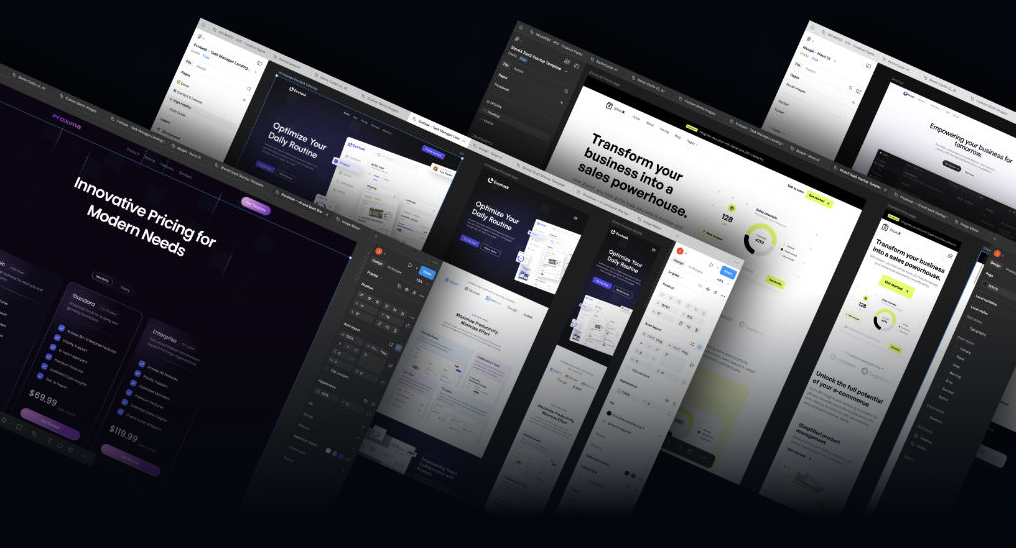
Lytbox – Figma Mastery For Web Designers
In today’s digital world, web design is no longer just about making things “look good.” It’s about creating seamless experiences, responsive layouts, scalable systems, and high-converting interfaces. That’s exactly where Lytbox – Figma Mastery For Web Designers stands out.
This comprehensive program is built for designers who want to go beyond basic tools and truly master professional web design workflows inside Figma. Whether you are a beginner trying to break into UI/UX or a freelancer aiming to increase your rates, this course is structured to help you design smarter, faster, and more strategically.
Below is a complete deep-dive into what makes this training one of the most powerful learning resources for modern web designers.
Why Figma Is the Industry Standard for Web Designers
Figma has transformed how design teams work. Unlike traditional design tools, it offers:
Cloud-based collaboration
Real-time editing
Design system scalability
Developer-friendly handoff
Cross-platform accessibility
Today, startups, agencies, SaaS companies, and enterprise brands rely heavily on Figma for interface and product design. If you want to compete in the current design market, mastering Figma is not optional — it’s essential.
That’s why a structured system like Lytbox – Figma Mastery For Web Designers becomes a powerful asset.
Who This Course Is Designed For
This training is ideal for:
1. Beginners in Web Design
If you are just starting and feel overwhelmed by grids, auto-layout, typography systems, and responsive rules, this program simplifies everything step by step.
2. Freelancers
If you are already designing but struggle with workflow efficiency, client presentations, or consistent design systems, this course sharpens your professional process.
3. UI/UX Designers
For designers who want to transition into more advanced UI structures, scalable components, and system-driven design.
4. Developers Expanding into Design
If you understand code but want better control over visual layout and interface structure, this program bridges the gap.
What You Will Learn Inside Lytbox – Figma Mastery For Web Designers
1. Professional Layout Foundations
Great web design starts with strong layout principles. You’ll learn:
Grid systems (12-column & custom grids)
Spacing frameworks
Visual hierarchy techniques
Alignment and balance rules
Container-based structuring
Instead of random placement, you’ll design with purpose and consistency.
2. Auto Layout Mastery
Auto Layout is one of Figma’s most powerful features — yet many designers use it incorrectly.
In this section, you’ll master:
Flexible containers
Responsive resizing behavior
Padding & spacing control
Nested auto layouts
Dynamic components
This alone can drastically increase your efficiency and reduce revision time with clients.
3. Design Systems & Components
Modern web design requires scalability. This course teaches you how to:
Create reusable components
Build structured variants
Manage component properties
Create global styles
Maintain design consistency across pages
By mastering components, you reduce design repetition and build professional-grade systems.
4. Typography Systems That Convert
Typography is not just about choosing fonts. It’s about structure and readability.
You’ll learn:
Font pairing principles
Modular scale systems
Heading hierarchies
Line height and readability
Conversion-focused text structure
A well-designed typographic system directly impacts user trust and engagement.
5. Color Systems & Branding Consistency
Color is psychological. The course explains:
Building semantic color systems
Primary, secondary & accent usage
Neutral scales
Accessibility contrast rules
Light & dark mode structures
This ensures your designs are visually strong and brand-aligned.
6. Responsive Web Design Inside Figma
Responsive design is non-negotiable today. You’ll master:
Desktop-to-mobile scaling
Breakpoint planning
Fluid layout behavior
Constraint systems
Adaptive components
Instead of designing static pages, you’ll create fully responsive systems.
7. Real-World Website Projects
Theory without application is useless. This program focuses heavily on practical implementation.
You’ll design:
Landing pages
SaaS homepages
Service-based websites
Portfolio layouts
Conversion-driven pages
By the end, you’ll have real projects for your portfolio.
Workflow Optimization for Designers
One of the strongest parts of this training is workflow.
You’ll learn:
How to structure files professionally
Naming conventions
Page organization systems
Version management
Client-ready presentation techniques
This is what separates hobby designers from professionals.
UI Psychology & Conversion Thinking
Good design is not just pretty — it converts.
Inside the course, you’ll understand:
Call-to-action placement strategy
Visual direction & attention control
White space psychology
Trust-building elements
Layout flow optimization
These principles allow you to design with business goals in mind.
Collaboration & Developer Handoff
Modern web projects require teamwork. The course covers:
Clean layer organization
Developer-ready structure
Asset exporting
CSS-friendly spacing
Documentation best practices
This makes you valuable not just to clients, but to entire teams.
How This Course Helps Freelancers Increase Income
Freelancers often undercharge because their process lacks structure.
By applying the systems taught in Lytbox – Figma Mastery For Web Designers, you can:
Deliver projects faster
Reduce revisions
Present work professionally
Justify premium pricing
Build long-term client relationships
Efficiency equals profitability.
Portfolio Building Strategy
Design skills mean little without presentation.
This course helps you:
Curate high-quality case studies
Showcase process breakdowns
Display system thinking
Demonstrate responsiveness
Present conversion logic
A strategic portfolio attracts higher-paying clients and better job opportunities.
Advanced Techniques Covered
Beyond fundamentals, the training also dives into:
Advanced constraints
Interactive prototypes
Micro-interactions
Component variants
Complex UI structures
Smart animation basics
These advanced skills elevate your design quality significantly.
Benefits of Structured Figma Mastery
Here’s what happens when you master Figma properly:
Faster project turnaround
More consistent branding
Scalable design systems
Stronger client trust
Higher perceived value
Better job opportunities
Instead of guessing, you operate with clarity and structure.
Learning Approach & Teaching Style
The course follows a practical, hands-on teaching approach:
Step-by-step lessons
Clear explanations
Real-time building
Applied exercises
Structured progression
This ensures both understanding and execution.
Long-Term Career Impact
Web design is evolving rapidly. Companies demand designers who understand:
Systems
Scalability
Responsiveness
Business logic
User psychology
By mastering these areas, you future-proof your career.
Whether your goal is:
Freelancing
Agency work
Remote jobs
SaaS product design
Starting your own studio
The skills learned here are transferable across industries.
Why This Program Stands Out
Many tutorials teach tools. Few teach systems.
What makes this program powerful is:
Focus on real-world workflow
Emphasis on scalability
Practical implementation
Business-driven design thinking
Structured component strategy
It teaches you how professionals actually design.
Final Thoughts
If you are serious about becoming a high-level web designer, you must go beyond surface-level tutorials. True mastery requires understanding structure, systems, psychology, responsiveness, and workflow efficiency.
Lytbox – Figma Mastery For Web Designers provides that structured path. It transforms how you approach design — from random creativity to strategic execution.
Instead of simply learning Figma features, you build a repeatable design process that increases your value in the marketplace.
If your goal is to:
Design faster
Build scalable systems
Deliver professional-grade websites
Increase freelance income
Create high-converting interfaces
Then this training offers the roadmap you need.




Reviews
There are no reviews yet.